How to delete a generation
Written By Arina
Last updated About 3 hours ago
You can delete any generation except ones that are currently in Processing status.
Before you delete (important)
Deleting a generation is meant for cleaning up your workspace.
Processing generations can’t be deleted until they finish (Completed/Failed).
Option 1: Delete from Tasks
Open the tool page and go to the Tasks tab.
Find the Task Generation you want to remove.
Click the trash bin icon on the task card (right side).
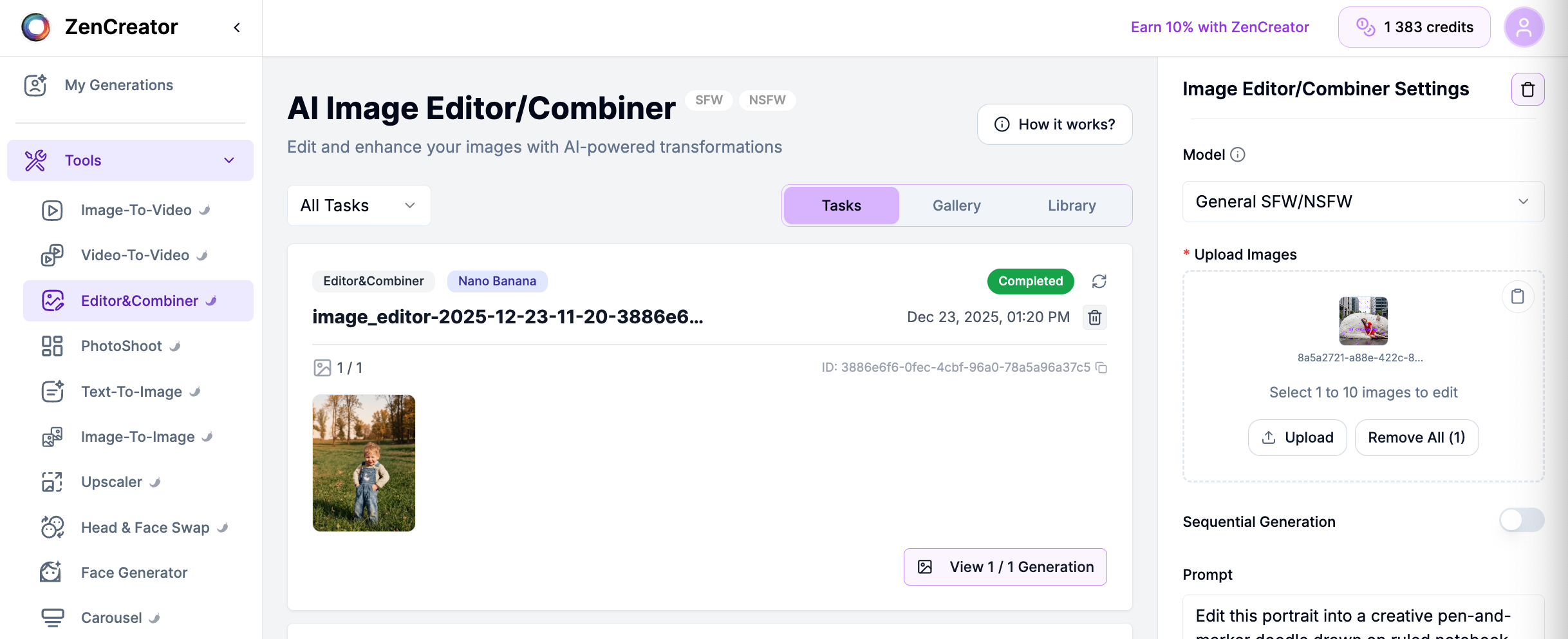
Confirm deletion.
✅ Works for Completed and Failed tasks
❌ Not available for Processing
Option 2: Delete from My Generations/Tool Gallery
Go to the Tool Gallery tab (or My generations).
Click the image/generation you want to delete to open the viewer.

In the viewer, click Delete.
Confirm deletion.
✅ Useful when you’re browsing results visually
❌ Not available for Processing
Option 3: Delete multiple or all generations at once
Go to My Generations.

Select the generations you want to remove using the checkboxes, or click Select all to select everything.
Click the trash icon in the toolbar at the bottom.
Confirm deletion.
✅ Fastest way to clean up many generations at once
Can I delete multiple generations at once?
Can I delete multiple generations at once?
Yes, you can delete multiple or all generations at once in the My Generations window. Select the images you want to remove and click the trash bin button at the bottom.
Can I recover deleted generations?
Can I recover deleted generations?
No, deleted generations cannot be restored.
Why can't I delete a generation?
Why can't I delete a generation?
You can only delete generations after the task is completed. If your task is still processing, wait until it finishes.
Does deleting a generation refund credits?
Does deleting a generation refund credits?
No, deleting a generation does not return credits.
Will deleting a generation affect my account or other results?
Will deleting a generation affect my account or other results?
No, deleting a generation only removes that specific result and does not affect other content.
Are my files stored after deletion?
Are my files stored after deletion?
No, they're automatically and completely removed from all servers.
Troubleshooting
I don't see the Delete option — check the status; if it's Processing, wait until it finishes.
Delete button doesn't work — refresh the page and try again. If the issue persists, contact support and include the generation ID (shown in the viewer).
Was this helpful?
Still need help? Ask the team