Video to Video
Transform a static photo into motion — or replace a person in a video — with our AI Video to Video Generator. Upload one photo and one video to create dynamic, cinematic results with high visual consistency.
Written By Arina
Last updated About 13 hours ago
What the tool does
Video to Video works two ways: animate a still photo using the motion from a reference video, or swap the person in an existing video for someone else — while keeping the original scene, camera work, and motion intact. For example, bring a portrait to life with someone else's dance moves, or replace the presenter in a clip with your own photo. Fully supports NSFW.
🎬 Results
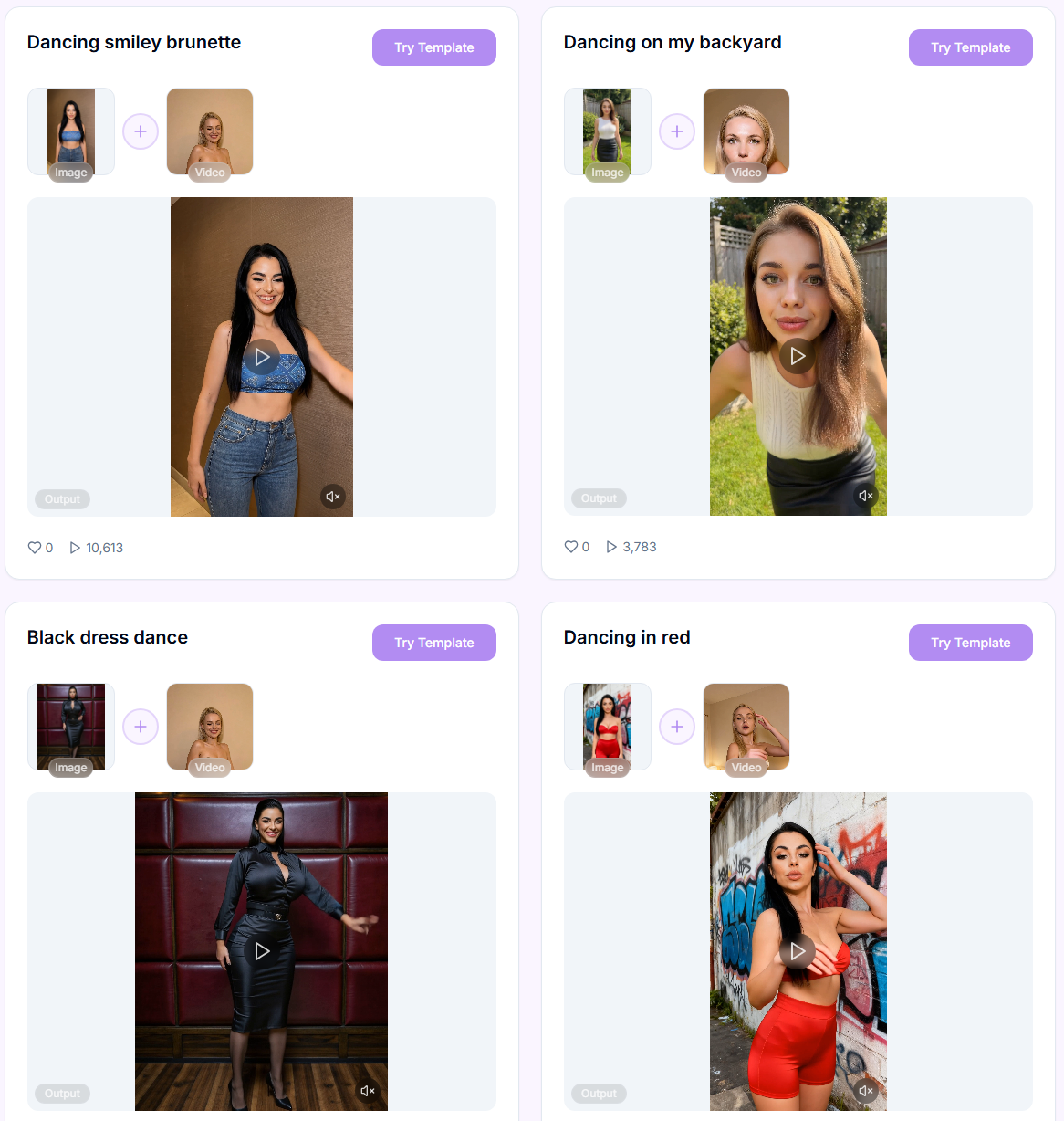
A look at what Video to Video can produce from a photo and a reference video.
Don't want to set everything up yourself?
Skip the setup — pick a ready-made style from the Templates library and drop in your photo and video. Templates also show you what kinds of motion and scenes the model handles best.
Your step-by-step guide
Step 1. Model — choose which model drives the transformation from the drop-down list. Tap one below to see what it's best at.
Wan 3.0 Spicy
Wan 3.0 Spicy
Duration: 5, 10, 15, 20, 25, or 30s
Resolution: 480p / 720p / 1080p
Best for: prompt-driven video-to-video generation with reference videos (up to 3), reference images (up to 9), and reference audio - building long, multi-shot edits or transformations up to 30 seconds, with optional native audio written by the model. Trained on a massive labeled dataset of NSFW content.
Strengths: can write its own soundtrack via the Generate Audio toggle, follows long screenplay-style prompts broken into timestamped shots, reference tokens ([img1], [vid1], [audio1]) let you address exactly which upload to use, stronger multi-subject consistency and camera control than earlier Wan models.
Trade-offs: best results need a prompt matched to the duration - short prompts on long durations hand plot and shot choices to the model. No negative prompt; unwanted elements must be described explicitly.
Content notes: Filters: Minimal
Wan 3.0 Prime Spicy
Wan 3.0 Prime Spicy
Duration: 5, 10, 15, 20, 25, or 30s
Resolution: 480p / 720p / 1080p
Best for: the same prompt-driven video-to-video generation as Wan 3.0 Spicy — reference videos (up to 3), reference images (up to 9), and reference audio — but returned about 40% faster.
Strengths: identical output quality and feature set to Wan 3.0 Spicy (Generate Audio toggle, screenplay-style prompts, reference tokens, multi-subject consistency); the difference is turnaround time, which matters when testing ideas or iterating on a shot.
Trade-offs: costs more per second than Wan 3.0 Spicy for the same result; same prompt-length sensitivity and lack of negative prompt.
Content notes: Filters: Minimal
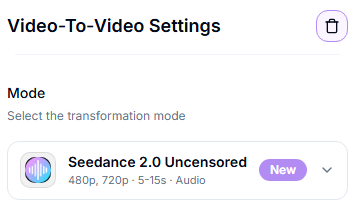
Seedance 2.0 Uncensored
Seedance 2.0 Uncensored
Duration: 5–15s
Resolution: 720p / 480p
Best for: prompt-driven video generation with first/last frame and multimodal reference (images, videos, audio) — editing a finished video by replacing a costume, background, lighting, or setting while preserving the subject's movement, timing, and identity. Trained on a massive, annotated dataset of NSFW content.
Strengths: a clear distinction between "what to keep" and "what to change" in the prompt yields predictable results without "rebuilding" the scene. Preserves the original animation and body proportions well when the prompt is precisely worded. Handles references [video 1]/[audio 1]/[image 1] accurately and can generate audio when no reference is provided.
Trade-offs: the order in which elements are described is critical — if you start with the changes rather than what to keep, the model may lose the original movement and timing. The original video reference [Video 1] must be clear for reliable results. Max length of the 3 video references is 15 seconds. Slower than Seedance 2.0 Fast Spicy.
Content notes: Filters: Minimal
Seedance 2.0 Fast Spicy
Seedance 2.0 Fast Spicy
Duration: 5–15s
Resolution: 720p / 480p
Best for: faster, cheaper video generation with the same first/last frame and multimodal reference approach as Seedance 2.0 Uncensored — good quality, editing pre-recorded videos (costumes, backgrounds, lighting) while preserving movement, timing, and facial identity. Plus additional training on a massive labeled dataset of NSFW content.
Strengths: fast processing time; clearly distinguishing between "what to keep" and "what to change" in the prompt yields predictable results without having to "rebuild" the scene. Faster and cheaper than Seedance 2.0 Uncensored.
Trade-offs: the order in which changes are described is critical — if you start with the changes instead of what to keep, the model may lose the original motion and timing. The original video reference [Video 1] must be clear. Max length of the 3 video references is 15 seconds. Quality is lower than Seedance 2.0 Uncensored.
Content notes: Filters: Minimal
Seedance 2.5 Uncensored
Seedance 2.5 Uncensored
Duration: 5, 10, 15, 20, or 30s
Resolution: 480p / 720p / 1080p
Best for: prompt-driven video-to-video generation from up to 10 reference videos, 30 reference images, and 10 reference audio clips — addressed in the prompt as [vid1], [img1], [audio1] — into long, multi-shot results up to 30 seconds. Trained on a massive labeled dataset of NSFW content.
Strengths: more natural, less "AI-looking" footage — improved camera transitions, subject stability, lighting, skin, and eye detail; timestamped prompts ("0–5s: …, 6–10s: …") control what happens and when; optional native audio via the Generate Audio toggle.
Trade-offs: the priciest Seedance model — 1080p costs about 3.4× the 720p rate, and the seconds of your reference videos are billed along with the result, so test at 480p/720p first. No negative prompt. The video may come without audio even with Generate Audio on.
Content notes: Filters: Minimal
Dream Actor M2.0
Dream Actor M2.0
Duration: up to 30s
Resolution: 720p / 480p
Best for: bringing a still character image to life by applying the exact body movements, gestures, facial expressions, and lip movements from a reference video. Ideal for character performances, dance sequences, expressive animations, and multi-character scenes, plus additional training on a massive labeled dataset of NSFW content.
Strengths: excellent motion fidelity and semantic understanding of movements, high identity and background consistency, strong performance with non-human and stylized characters, natural expressions, stable output across complex actions. The most stable option for bringing a photo to life.
Trade-offs: best results with well-matched composition, clear reference video (good lighting, minimal occlusion), and compatible character image.
Content notes: Filters: Minimal
Animate
Animate
Duration: up to 30s
Resolution: 720p / 480p
Best for: bringing a still character image (portrait, illustration, or design) to life by applying the exact body movements, gestures, and facial expressions from a reference video. Ideal for character performances, dance sequences, and expressive animations, plus additional training on a massive labeled dataset of NSFW content.
Strengths: strong motion fidelity with natural expressions, high identity consistency, seamless transfer of complex actions.
Trade-offs: best results with well-matched composition, clear reference video (good lighting, minimal occlusion), and compatible character image. May be unstable — see the note below.
Content notes: Filters: Minimal
Replace
Replace
Duration: up to 30s
Resolution: 720p / 480p
Best for: replacing the main character in an existing video with a subject from your image while preserving the original motion, scene, lighting, and camera work. Perfect for character swaps in footage, presenter replacements, and seamless integration, plus additional training on a massive labeled dataset of NSFW content.
Strengths: maintains original scene elements and motion, strong identity preservation, realistic integration with environment and lighting.
Trade-offs: best results with good pose/composition matching between image and video, clean reference footage. May be unstable — see the note below.
Content notes: Filters: Minimal
Kling 2.6 Motion
Kling 2.6 Motion
Duration: up to 30s — longer videos are automatically clipped
Resolution: 1080p only
Best for: applying choreography and movements from a reference video to a subject in a character image. Ideal for complex dance moves, gestures, and full-body performances. Great for dance sequences, motion transfer, and creating consistent character animations.
Strengths: extracts and transfers full motion/choreography (including complex actions, hands, facial expressions) from a reference video. Keep-original-sound option. Strong motion fidelity and character consistency. Highest resolution of any model here.
Trade-offs: requires good reference video quality (clear, unobstructed movements) and a compatible character image. Stricter safety filters than the other models.
Content notes: Filters: On
MiniMax H3 Max
MiniMax H3 Max
Duration: 5, 6, 8, 10, 12, or 15s
Resolution: 480p / 720p / 1080p
Best for: reworking an existing video with a text prompt, optionally combining it with reference images, extra videos, and audio (up to 9 images, 3 videos, 3 audio clips, 12 files total) to steer the result.
Strengths: reference tokens (Image 1, Video 1, Audio 1) let you point to exactly which upload drives which part of the edit; native stereo audio on every result, no toggle needed; flexible aspect ratios (16:9, 9:16, 4:3, 3:4, 1:1, 21:9, or Adaptive).
Trade-offs: billed for both the source video's seconds and the output's seconds. No negative prompt; describe exclusions at the end of the main prompt. Audio can't be disabled. Long prompts are compressed internally, so shorter, precise wording tends to work better.
Content notes: Filters: On — SFW only, does not support NSFW content.
Quick pick:
Need a long, multi-shot prompt-driven edit or transformation (up to 30s) with optional native audio and video/image/audio references combined → Wan 3.0 Spicy.
Need that same result faster, worth paying more per second → Wan 3.0 Prime Spicy.
Need up to 10 reference videos plus 30 images and 10 audio clips in one generation, up to 30s and 1080p → Seedance 2.5 Uncensored.
Need the highest quality choreography/dance transfer, SFW → Kling 2.6 Motion.
Want to bring a still photo to life with a reference video, most stable option, including NSFW → Dream Actor M2.0.
Same, but don't mind less stability → Animate.
Need to swap the person in an existing video while keeping the scene → Replace.
Editing a finished video (costume, background, lighting) while keeping motion and identity → Seedance 2.0 Uncensored or Seedance 2.0 Fast Spicy (cheaper, quicker).
Need to rework an existing video with a text prompt, plus optional image/video/audio references, SFW → MiniMax H3 Max.
Step 2. Upload your Image — choose a clear portrait or full-body photo of your character. Supported formats: JPG or PNG. The image should show a well-lit, unobstructed face (no sunglasses or strong shadows). Recommended minimum: 512px per side.
Step 3. Upload your Video — upload a video or paste a link (Instagram or TikTok) to use as the motion source; links work only with some models, and Seedance, Wan 3.0, and MiniMax H3 require an uploaded video file. The video defines the movement, gestures, and expressions. Duration and frame rate are taken from the source video. The minimum charged duration is 5 seconds. Supported formats: MP4, MOV. You can also enable Keep original sound to preserve audio from the source video.
Step 4. Prompt — needed for prompt-driven models (Wan 3.0 Spicy, Wan 3.0 Prime Spicy, Seedance 2.0 Uncensored, Seedance 2.0 Fast Spicy, Seedance 2.5 Uncensored, MiniMax H3 Max): describe what to keep and what to change, addressing your uploads in order with reference tokens ([image 1], [video 1], [audio 1]). Motion-transfer models (Dream Actor M2.0, Animate, Replace, Kling 2.6 Motion) don't use a prompt — they take movement directly from your source video. Not sure how to phrase it? Click the » AI Prompt Assistant button below the field to turn your idea into a properly formatted prompt.
Step 5. Resolution — select the output video resolution. Most models offer 720p or 480p; Wan 3.0 Spicy, Wan 3.0 Prime Spicy, Seedance 2.5 Uncensored, MiniMax H3 Max, and Kling 2.6 Motion also offer 1080p.
Step 6. Generate — click Generate and wait while the model processes your video. Each generation costs credits depending on the selected duration and settings. Your result appears in the task list, ready to preview, download, or send downstream.
Tips for Best Results
Match Composition & Pose — keep the uploaded image and video aligned in camera position and body pose. Misalignment can lead to facial distortion or frame mismatches.
Keep Aspect Ratios Consistent — if your photo and video have different aspect ratios, the AI must crop or stretch to fit. Matching ratios gives more accurate face mapping and smoother motion.
Quality Matters — the higher the resolution and clarity of your inputs, the better the output. Avoid blurry faces, overexposed lighting, or extreme motion blur.
Follow Template Examples — use the built-in templates in this tool to understand what the model can realistically achieve. They reflect the types of motion and scenes the model handles best.
Use Stable Video References — choose videos where the camera is stable and the face remains clearly visible and centered. Avoid complex scenes, fast movement, or frequent camera changes for more reliable results.
Troubleshooting
You're working with AI — occasional mistakes, artifacts, or unexpected results are normal, and a 100% correct result isn't guaranteed. If a clip doesn't look right, try regenerating or adjusting your inputs.
Animate and Replace may be unstable. Use only high-quality materials, and avoid long video references — otherwise we can't guarantee a normal result.
If something didn't work as expected, contact us in the support chat in the app, or email [email protected].
FAQ
What happens if my video doesn't contain a visible face?
What happens if my video doesn't contain a visible face?
You'll receive an error — but your credits will be automatically refunded.
Can I upload long clips?
Can I upload long clips?
Yes, up to 30 seconds.
Why is the face flickering or changing during the video?
Why is the face flickering or changing during the video?
This can happen when the face isn't clearly visible in all frames, the video contains fast motion or cuts, or lighting changes significantly. For best results, use stable videos with consistent lighting and a visible face.
Why did my generation fail?
Why did my generation fail?
Your task may fail due to unsupported or corrupted files, very low-quality inputs, content restrictions depending on the selected model, or unstable motion in the source video. Try simplifying your inputs and using a shorter or clearer video.
What is the difference between Animate and Kling 2.6 Motion?
What is the difference between Animate and Kling 2.6 Motion?
Animate follows the motion of the video and is faster but less stable. Kling 2.6 Motion provides higher quality and consistency, but uses stricter safety filters.
Why is my video cut to 30 seconds?
Why is my video cut to 30 seconds?
Kling 2.6 Motion supports a maximum duration of 30 seconds. If your video is longer, it will be automatically clipped.
Can I use videos from Instagram or TikTok?
Can I use videos from Instagram or TikTok?
Yes, you can paste links directly into the tool. Links work only with some models, and Seedance, Wan 3.0, and MiniMax H3 require an uploaded video file. Make sure the video is public and accessible.
Will I be charged if the generation fails?
Will I be charged if the generation fails?
No — credits for failed tasks are automatically refunded to your balance.
Full model courses
Want to go deeper on a specific model's prompting style? Each has its own in-depth course inside ZenCreator:
What's next
Video Upscaler — sharpen and enlarge your result
Video Merger — combine clips into a longer video
Image Editor — polish your source photo before uploading
Was this helpful?
Still need help? Ask the team