Image to Video
Turn the image into a social-ready video. Choose a model (WAN, Kling or Seedance Pro), write an optional prompt, and batch up to 100 clips.
Written By Arina
Last updated About 14 hours ago
What the tool does
Image to Video takes your reference image and synthesizes a short clip that preserves the subject and general styling while adding motion, camera moves, and subtle scene dynamics. It can create any kind of video, fully supports NSFW, and works equally well for personal projects or content made for social media.
🎬Results
A look at what Image to Video can produce from a single reference.
Don't want to set everything up yourself?
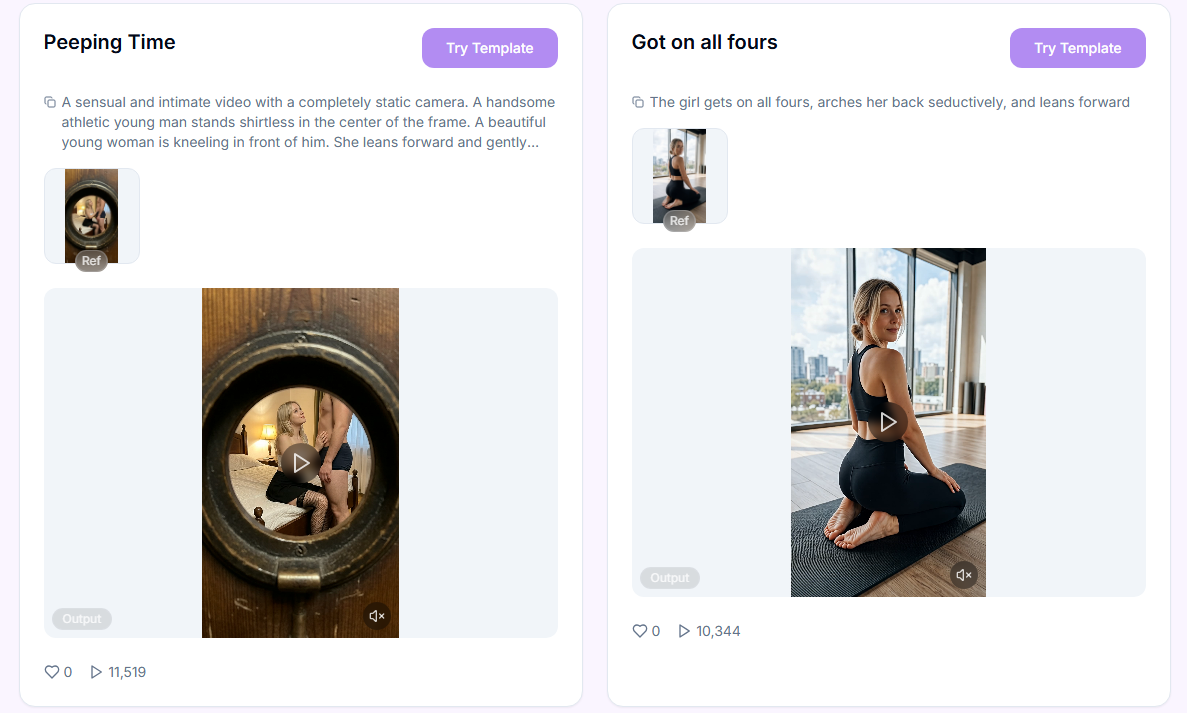
Skip the setup — pick a ready-made style from the Templates library and drop in your reference. Templates can be filtered by tags or searched by name.
Your step-by-step guide
Step 1. Model — choose which model animates your image from the drop-down list. Tap one below to see what it's best at.
Wan 3.0 Spicy
Wan 3.0 Spicy
Duration: 5, 10, 15, 20, 25, or 30s
Resolution: 480p / 720p / 1080p
Best for: animating an image via Reference Mode - up to 9 reference images plus up to 3 reference audio clips - into long, multi-shot clips up to 30 seconds, with optional native audio written by the model. Trained on a massive labeled dataset of NSFW content.
Strengths: can write its own soundtrack via the Generate Audio toggle, follows long screenplay-style prompts broken into timestamped shots, reference tokens ([img1], [audio1]) let you address exactly which upload to use, stronger multi-subject consistency and camera control than earlier Wan models.
Trade-offs: best results need a prompt matched to the duration - short prompts on long durations hand plot and shot choices to the model. No negative prompt; unwanted elements must be described explicitly.
Content notes: Filters: Minimal
Wan 3.0 Prime Spicy
Wan 3.0 Prime Spicy
Duration: 5, 10, 15, 20, 25, or 30s
Resolution: 480p / 720p / 1080p
Best for: the same Reference Mode animation as Wan 3.0 Spicy — up to 9 reference images plus up to 3 reference audio clips — into long, multi-shot clips up to 30 seconds, with optional native audio written by the model, but returned about 40% faster.
Strengths: identical output quality and feature set to Wan 3.0 Spicy (Generate Audio toggle, screenplay-style prompts, reference tokens, multi-subject consistency); the difference is turnaround time, which matters when testing ideas or iterating on a shot.
Trade-offs: costs more per second than Wan 3.0 Spicy for the same result; same prompt-length sensitivity and lack of negative prompt.
Content notes: Filters: Minimal
Seedance Pro
Seedance Pro
Duration: 5 s or 10 s
Best for: more controlled animations between two defined states; seamless storytelling and realistic character motion.
Strengths: supports Last Frame for smoother looping and more stable endings. Supports 480p, 720p, and 1080p.
Trade-offs: slower than Pro Fast; works best with clean, well-aligned start/end frames for consistent transitions.
Content notes: Filters: Minimal
Seedance Pro Fast
Seedance Pro Fast
Duration: 5 s or 10 s
Best for: fast previews and cheapest drafts.
Strengths: fast generation speed, low cost, supports 480p, 720p, and 1080p. Supports Start Frame for simple motion guidance.
Trade-offs: less control and lower quality compared to Seedance Pro.
Content notes: Filters: Minimal
Seedance Pro 1.5
Seedance Pro 1.5
Duration: 5 s, 10 s or 12 s
Best for: generating short, cinematic videos where audio and video are generated together in a unified process. This model is ideal for narrative clips, dialogue scenes, audio-driven motion, and expressive storytelling directly from prompts or images.
Strengths: Seedance 1.5 Pro is a joint audio-video generation model that produces synchronized visuals and sound in a single process. It offers precise lip-sync, expressive motion, strong instruction adherence, supports 720p and 1080p, and includes Generate Audio and Fix camera position for enhanced control.
Trade-offs: best results come from clear prompts and structured instructions; complex scenes benefit from thoughtful prompt design to maintain motion coherence and expressive pacing.
Content notes: Filters: Minimal
Seedance 2.0 Spicy
Seedance 2.0 Spicy
Duration: 5 s, 6 s, 8s, 10 s, 12s 15 s
Resolution: 480p / 720p
Best for: animating a single image as the literal first frame, creating a transition between two frames (First-Last Frame), or transferring characteristics (appearance, style, motion) via Reference Mode (up to 9 images + 3 videos + 3 audio clips), plus additional training on a massive annotated dataset of NSFW content.
Strengths: high predictability of the video’s start (composition, pose, and camera angle are preserved exactly as in the source image), generation using reference markers [Image 1]/[Video 1]/[Audio 1], good character consistency across frames when reusing the same reference. Audio generation for video in standard mode
Trade-offs: The three input modes work differently, and it’s easy to mix them up—selecting the wrong mode will produce a result different from what you expected; the quality of the source image directly affects the final result. Slower than Seedance 2.0 Fast
Content notes: Filters: Minimal.
Seedance 2.0 Fast Spicy
Seedance 2.0 Fast Spicy
Duration: 5 s, 6 s, 8s, 10 s, 12s 15 s
Resolution: 480p / 720p
Best for: animating an image as the literal first frame, creating a transition between two specified frames (interpolation), or transferring features using multimodal references—up to 9 images, 3 videos, and 3 audio clips. Plus, additional training on a massive annotated dataset of NSFW content
Strengths: High predictability of the video’s start (composition, pose, and angle are preserved exactly as in the source image); convenient reference labeling with [Image 1] / [Video 1] / [Audio 1], good character consistency when reusing a single reference, fast generation time. Faster and cheaper than the standard version
Trade-offs: It's easy to confuse the three input modes—selecting the wrong one yields a result different from what you expected; the quality of the source image directly affects the final result. The quality is lower than in the standard version
Content notes: Filters: Minimal
Seedance 2.5 Spicy
Seedance 2.5 Spicy
Duration: 5, 10, 15, 20, or 30s
Resolution: 480p / 720p / 1080p
Best for: long, multi-shot scenes up to 30 seconds in one generation — a complete story instead of one stretched moment. Animate a Start Frame (or Start + End Frame), or turn on Reference Mode to use up to 30 reference images and 10 reference audio clips, addressed in the prompt as [img1], [audio1]. Trained on a massive labeled dataset of NSFW content.
Strengths: more natural, less "AI-looking" footage — improved camera transitions, subject stability, lighting, skin, and eye detail; timestamped prompts ("0–5s: …, 6–10s: …") control what happens and when; optional native audio via the Generate Audio toggle.
Trade-offs: the priciest Seedance model — 1080p costs about 3.4× the 720p rate, so test at 480p/720p first. No negative prompt. The video may come without audio even with Generate Audio on.
Content notes: Filters: Minimal
Wan 2.5 + Audio
Wan 2.5 + Audio
Duration: 5 s or 10 s
Best for: lip-sync, breathing, rhythmic body motion, and audio-reactive scenes using a single audio file (WAV, MP3).
Strengths: strong synchronization with audio, expressive facial and body movement. Supports 480p, 720p, and 1080p.
Trade-offs: results depend heavily on audio quality; designed for expressive motion rather than complex camera setups.
Content notes: Safety Filters: Minimal
Wan 2.2 + LoRA
Wan 2.2 + LoRA
Duration: 5 s, 8 s.
Best for: ultra-fast image-to-video generation with custom LoRA style control. Ideal for creators who want cinematic motion, personalized character look, and consistent visual styles directly from a single image.
Strengths: WAN 2.2 is an ultra-fast image-to-video model that generates dynamic 720p video from still images and supports custom LoRAs to define character motion and behavior. LoRAs are used to control how characters move, pose, and interact with the camera, enabling consistent motion patterns across generations.
LoRA Style Templates:
The platform provides a large library of LoRA Style Templates that are automatically applied during generation. These templates allow you to quickly select predefined motion styles and character dynamics, ensuring consistent movement and visual behavior across multiple videos without manual prompt tuning.
Trade-offs: WAN 2.2 + LoRAs focuses on speed and consistency.
Content notes: Safety Filters: Minimal
Wan 2.6 + Audio
Wan 2.6 + Audio
Duration: 5 s, 10 s or 15 s
Best for: high quality image-to-video generation with audio, longer clips, and expressive motion with synchronized sound.
Strengths: strong audio synchronization, expressive facial animation and body motion, supports 720p and 1080p.
Trade-offs: results depend on input quality and prompt clarity; best suited for controlled scenes.
Content notes: Filters: Minimal
Wan 2.6 Ultra Fast
Wan 2.6 Ultra Fast
Duration: 5 s, 10 s or 15 s
Best for: rapid generations, quick testing, social media workflows, and batch content production.
Strengths: significantly faster render time, native audio support, expressive motion, supports 720p and 1080p.
Trade-offs: slightly lower visual consistency compared to Wan 2.7; optimized primarily for speed.
Content notes: Filters: Minimal
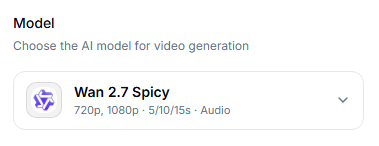
Wan 2.7 + Audio
Wan 2.7 + Audio
Best for: image-to-video generation with audio, longer clips, and expressive motion with synchronized sound, cinematic generations, smooth camera motion, realistic characters, and high-quality final renders.
Strengths: improved temporal consistency, better prompt understanding, enhanced motion quality, supports 720p and 1080p.
Trade-offs: slower than Ultra Fast models; best results require clear prompts and high-quality input images.
Content notes: Filters: Minimal
Wan 2.2 Spicy
Wan 2.2 Spicy
Duration: 5s, 8s
Best for: ultra-fast image-to-video generation, consistent visual styles directly from a single image, plus additional training on a massive labeled dataset of NSFW content
Strengths: punchy detail, strong adherence to your reference image, good at dramatic camera moves and moody grading.
Trade-offs: less conservative filtering means you should keep prompts precise; anatomy and small details can drift if you push extremes.
Content notes: Safety Filters: Minimal
Wan 2.7 Spicy
Wan 2.7 Spicy
Duration: 5 s , 10 s , 15 s
Best for: high quality image-to-video generation with audio, longer clips, and expressive motion with synchronized sound, plus additional training on a massive labeled dataset of NSFW content.
Strengths: improved temporal consistency, better prompt understanding, enhanced motion quality, supports 720p and 1080p.
Trade-offs: slower than Ultra Fast models; best results require clear prompts and high-quality input images.
Content notes: Filters: Minimal
Wan 2.7 + LoRA
Wan 2.7 + LoRA
Duration: 5s / 10s / 15s
Best for: quickly generating videos from an image while controlling the style using custom LoRAs. Ideal for creators who want cinematic motion, a personalized character look, and consistent visual styles—all based on a single image.
Strengths: WAN 2.7 is an image-to-video conversion model that generates dynamic 720p or 1080p video with synthesized audio from still images and supports custom LoRAs for defining character movement and behavior. LoRAs are used to control how characters move, pose, and interact with the camera, ensuring consistent movement patterns across generations. No prompt is required.
LoRA Style Templates: The platform provides a large library of LoRA style templates that are automatically applied during generation. These templates allow you to quickly select preset movement styles and character dynamics, ensuring consistent movement and visual behavior across multiple videos without the need for manual prompt tuning.
Trade-offs: WAN 2.7 + LoRAs prioritizes quality and consistency. Adding a prompt may conflict with the default prompt and cause errors in the generated video or cause LoRa to fail.
Content Notes: Safety Filters: Minimal
Kling 2.6 + Audio
Kling 2.6 + Audio
Duration options: 5 s or 10 s
Best for: high-quality SFW video generation with native audio support. Ideal for talking characters, dialogue scenes, branded content, product presentations, and realistic short clips where audio and visuals must be generated together. Supports Start Frame, so you can control how the motion begins.
Strengths: this model is a native audio-video generation model, meaning video and audio are created simultaneously in a single process. It produces synchronized speech and sound aligned with visual motion, delivers realistic facial animation and stable identity, and supports 1080p resolution. The model includes Generate Audio for built-in audio creation for stable, non-moving camera shots.
Trade-offs: optimized for realism and clean, brand-safe results rather than extreme stylization; best performance comes from clear prompts and controlled motion.
Content notes: Safety Filters: On
MiniMax H3 Max
MiniMax H3 Max
Duration: 5, 6, 8, 10, 12, or 15 s
Resolution: 480p / 720p / 1080p
Best for: animating a Start Frame, an End Frame, or both, and using Reference Mode to guide style, character, or sound from your own images, video, and audio — up to 9 reference images, 3 reference videos, and 3 reference audio clips (12 files total).
Strengths: reference tokens (Image 1, Video 1, Audio 1) let you point the model at exactly which upload to use; every clip gets a native stereo audio track automatically, no toggle needed; flexible aspect ratios (16:9, 9:16, 4:3, 3:4, 1:1, 21:9, or Adaptive).
Trade-offs: full price — about double MiniMax H3 Max Turbo. No negative prompt; unwanted elements must be described at the end of the main prompt. Audio can't be disabled. Long prompts are compressed internally, so shorter, precise descriptions tend to work better.
Content notes: Filters: On — SFW only, does not support NSFW content.
MiniMax H3 Max Turbo
MiniMax H3 Max Turbo
Duration: 5, 6, 8, 10, 12, or 15 s
Resolution: 480p / 720p / 1080p
Best for: fast, lower-cost Start/End Frame animation when you don't need reference images, video, or audio.
Strengths: roughly half the price of MiniMax H3 Max and faster; same Start Frame / End Frame / both controls; native stereo audio included automatically.
Trade-offs: no Reference Mode — for image, video, or audio references, use MiniMax H3 Max instead. No negative prompt. Audio can't be disabled.
Content notes: Filters: On — SFW only, does not support NSFW content.
Grok
Grok
Duration: 6 s or 10 s
Best for: dynamic animations, quick concept clips, and expressive motion from a single image.
Strengths: fast generation, suitable for energetic scenes and rapid iteration.
Trade-offs: less stable and less consistent compared to higher-end cinematic models.
Content notes: Safety Filters: Partial
Quick pick:
Need the longest single-pass clip (up to 30s) via Reference Mode, with optional native audio and up to 9 images + 3 audio clips as references - Wan 3.0 Spicy.
Need that same result faster, worth paying more per second → Wan 3.0 Prime Spicy.
Need a full 30-second story in one generation with up to 30 image references and native audio → Seedance 2.5 Spicy.
Need SFW talking videos with native audio → Kling 2.6 + Audio.
Need ultra-fast previews → Seedance Pro Fast.
Need controlled storytelling and smooth transitions between defined states → Seedance Pro.
Need native audio-video generation with expressive motion → Seedance Pro 1.5.
Need audio-driven animation with or without an uploaded audio file → Wan 2.5 + Audio.
Need ultra-fast image-to-video with LoRA-driven character motion → Wan 2.2 + LoRA.
Need longer audio-driven clips with more expressive motion and duration → Wan 2.6 + Audio.
Need fast dynamic animations and quick concept clips → Grok.
Need ultra-fast high-detail NSFW with dramatic camera moves and moody cinematic grading → Wan 2.2 Spicy
Need the best motion quality and temporal consistency in NSFW + audio-driven clips → Wan 2.7 Spicy (5s / 10s / 15s)
Need Start/End Frame animation with image, video, or audio references guiding style, character, or sound → MiniMax H3 Max.
Need fast, low-cost Start/End Frame animation with no references → MiniMax H3 Max Turbo.
Step 2. Upload Reference Image — drop 1–100 images; each file renders its own clip. Use sharp, well-lit inputs.
Step 3. Model Settings — configure model-specific parameters such as adding LoRAs, enabling Fix camera position, or setting a Start/End Frame — available controls depend on the selected model.
Step 4. Prompt — describe motion and vibe: "slow push-in, hair moving gently, soft wind, cinematic grade." Most models need one, but a few (like Wan 2.7 + LoRA) work without a prompt — check the model card above, since adding one can sometimes conflict with a model's built-in style. Not sure how to phrase it? Click the » AI Prompt Assistant button below the field to turn your idea into a properly formatted prompt.
Step 5. Negative Prompt (optional) — restrict unwanted artifacts (available for some models): “warped hands, heavy blur, oversharpened, flicker.”
Step 6. Duration — ranges from 5 to 30 seconds depending on the model (up to 30s on Wan 3.0 Spicy and Seedance 2.5 Spicy). Check the model card above for exact options.
Step 7. Quality — select output resolution. Most models support 480p, 720p, and 1080p, but exact availability varies by model — check the model card above.
Step 8. Generate Videos — starts the batch; you’ll see per-clip status and can open results.
Prompting tips for video
Focus on motion and camera: “gentle parallax, slow dolly-in, subtle hair flutter, cloth ripple, soft depth-of-field.”
Keep it one idea per clip. If you want multiple motions, render separate versions (it’s faster and cleaner).
For identity consistency, describe key facial/hair traits in the prompt and choose the same model/duration across the batch.
Use a compact negative: “flicker, ghosting, plastic skin, extreme warp, watermark, text.”
Match your prompt to the model: audio cues like “she says…” or ambient sound only work with Audio-capable models.
For the Spicy (NSFW) models, describe the specific action or pose you want — a vague prompt won’t automatically produce explicit content on its own.
A clean, well-lit reference image often improves motion coherence more than a longer prompt.
See a Full Guide "How to Prompt Image to Video".
Best practices & pro notes
Start with 5s, approve the look, then do 10s (or longer, on models that support it) for selects.
Do upscale and Head & Face Swap on the photo as the final step before you animate it, since Head & Face Swap can't be applied to a finished video.
If a model supports Start/End Frame, use both instead of leaving End Frame blank — it gives far more predictable results.
Batch a few reference images with the same settings to compare options, then only upscale or face-swap your favorites — saves credits.
Match duration to where the video is going: 5–6s for Stories/Reels, up to 15s for longer-form content on most models, or up to 30s on Wan 3.0 Spicy or Seedance 2.5 Spicy for full scenes in one pass.
Pick a reference that already matches what you want in the video — models can't make complex transformations. Choose a reference that's already in the pose and outfit you're aiming for. Want two people in the video? Your reference needs to show two people too.
Known limitations (and how to mitigate)
You're working with AI — occasional mistakes, artifacts, or unexpected results are normal, and a 100% correct result isn't guaranteed. If a clip doesn't look right, try regenerating or adjusting your prompt or reference.
Tiny text/logos will not be readable — overlay in post if required.
Hands/occlusions can introduce warps; reduce complexity or crop tighter.
Audio-video sync can drift slightly on longer clips (10–30s) — shorter clips tend to stay in sync more reliably.
If something didn't work as expected, contact us in the support chat in the app, or email [email protected].
FAQ
Can I write prompts in languages other than English?
Can I write prompts in languages other than English?
Yes — but English is recommended.
Most models (WAN and Seedance Pro) can technically process prompts written in languages other than English. However, English provides the most stable and predictable results, especially for motion, camera direction, and emotional cues.
Best practice:
Use English for production and repeatable workflows. Other languages may work for simple scenes, but results can be less consistent.
How do I generate audio with an audio-capable model? Do I need to upload an audio file?
How do I generate audio with an audio-capable model? Do I need to upload an audio file?
Uploading an audio file is not required for most audio-capable models — Wan 2.5 + Audio, Wan 2.6 + Audio, Wan 2.7 + Audio, Wan 2.7 Spicy, Seedance Pro 1.5, Seedance 2.0 Spicy/Fast Spicy, and Kling 2.6 + Audio can all generate audio directly from the text prompt. Simply describe the sound you want to hear, for example:
“the girl is softly moaning”
“slow breathing, sensual rhythm”
“quiet voice, soft exhales”
The model will generate synchronized audio automatically based on your prompt. Audio files (WAV or MP3) are only needed if you already have a specific sound or voice track that must be matched precisely.
With Wan 3.0 Spicy, turn on the separate Generate Audio toggle to have the model write its own soundtrack. When it's on and you haven't described the sound, the model invents dialogue and music on its own — describe specific audio (or silence) explicitly in the prompt if that matters (e.g. "no dialogue, no background music" or the exact sound you want).
How can I create videos longer than 30 seconds?
How can I create videos longer than 30 seconds?
Most models generate 5–15 seconds per clip, and Wan 3.0 Spicy and Seedance 2.5 Spicy can generate up to 30 seconds in a single pass — the longest single generation on ZenCreator. If 30 seconds or less is enough, just pick one of them and set your duration; no chaining needed.
For anything longer than 30 seconds, build it from multiple clips using a chained workflow:
1) Generate each clip with Start Frame and End Frame:
Generate the first clip.
Use the last frame of that clip as the Start Frame for the next generation.
Optionally set an End Frame to guide the final state.
Repeat the process to extend the sequence.
This approach allows you to:
maintain visual and motion continuity
build videos of virtually any length
avoid abrupt motion changes
This workflow is supported by Seedance Pro, Seedance Pro 1.5, Seedance 2.0 Spicy, Seedance 2.0 Fast Spicy, Seedance 2.5 Spicy, Wan 3.0 Spicy, Wan 3.0 Prime Spicy, MiniMax H3 Max, and MiniMax H3 Max Turbo (check the model card above for which models support Start/End Frame).
2) Once you have your clips (each up to 30s if using Wan 3.0 Spicy or Seedance 2.5 Spicy), stitch them together with Video Merger:
Add 2 to 5 videos
Select a merge method
Use the toggle switch to choose whether to keep the original audio from the video
You can also choose how to trim the videos you've uploaded
Press Run
This approach allows you to:
effortlessly merge 2 to 5 video clips into one professional-looking video
achieve smooth transitions and natural flow between scenes
precisely trim clips and control audio — keeping the original sound or replacing it
create longer, high-quality videos with no abrupt cuts, well beyond the 30-second single-generation limit
Which models support NSFW content?
Which models support NSFW content?
Most models here run with Filters: Minimal, which allows more explicit content than the heavily filtered options. The models built specifically for NSFW are Wan 2.2 Spicy, Wan 2.7 Spicy, Wan 3.0 Spicy, Seedance 2.0 Spicy, Seedance 2.0 Fast Spicy, and Seedance 2.5 Spicy. Kling models (Filters: On) are the most restricted and best suited for SFW content.
Which model is best for stylized motion or experimental looks?
Which model is best for stylized motion or experimental looks?
Use Wan 2.2 Spicy for maximum creative freedom and bold motion, or Wan 2.2 + LoRA / Wan 2.7 + LoRA if you want to control character movement using predefined motion styles.
When should I use LoRAs?
When should I use LoRAs?
Use Wan 2.2 + LoRA or Wan 2.7 + LoRA when you want:
consistent character movement,
predefined motion behavior,
no need to invent prompts — simply choose motion ideas from built-in templates
LoRAs are especially useful when generating many variations from a single image.
Should I start with 5 seconds or 10 seconds?
Should I start with 5 seconds or 10 seconds?
Start with 5 seconds to validate motion and style.
Once the result looks good, switch to a longer duration for final clips — 10–15 seconds on most models, or up to 30 seconds on Wan 3.0 Spicy and Seedance 2.5 Spicy.
Can I batch-generate multiple videos at once?
Can I batch-generate multiple videos at once?
Yes. You can upload up to 100 reference images, and each image will be rendered as a separate video clip using the same settings.
What's the difference between the Spicy models and the regular ones?
What's the difference between the Spicy models and the regular ones?
Spicy models are trained specifically for NSFW generation with fewer restrictions. The regular Filters: Minimal models can still work with NSFW references, but they aren't built or trained the same way.
Do all models need a prompt?
Do all models need a prompt?
Most do, but Wan 2.7/Wan 2.2 + LoRA works without one — adding a prompt there can even conflict with its built-in style and cause errors.
Is a perfect result guaranteed?
Is a perfect result guaranteed?
No — like any AI tool, results can vary and occasional mistakes or artifacts are normal. If a clip doesn't turn out right, try again or adjust your prompt or reference.
Full model courses
Want to go deeper on a specific model's prompting style? Each has its own in-depth course inside ZenCreator:
Was this helpful?
Still need help? Ask the team