How to delete my account
Written By Arina
Last updated About 2 hours ago
You can delete your ZenCreator account anytime from Settings. Account deletion is permanent and can’t be undone.
Before you delete (important)
Download anything you want to keep (generated images/videos, project files, prompts, etc.).
If you still have credits, note that once the account is deleted you will lose access to them.
If you’re having a payment or access issue, it may be faster to contact support first.
Delete your account (step-by-step)
Log in to ZenCreator.
Open Settings (you’ll see your Current user info there).
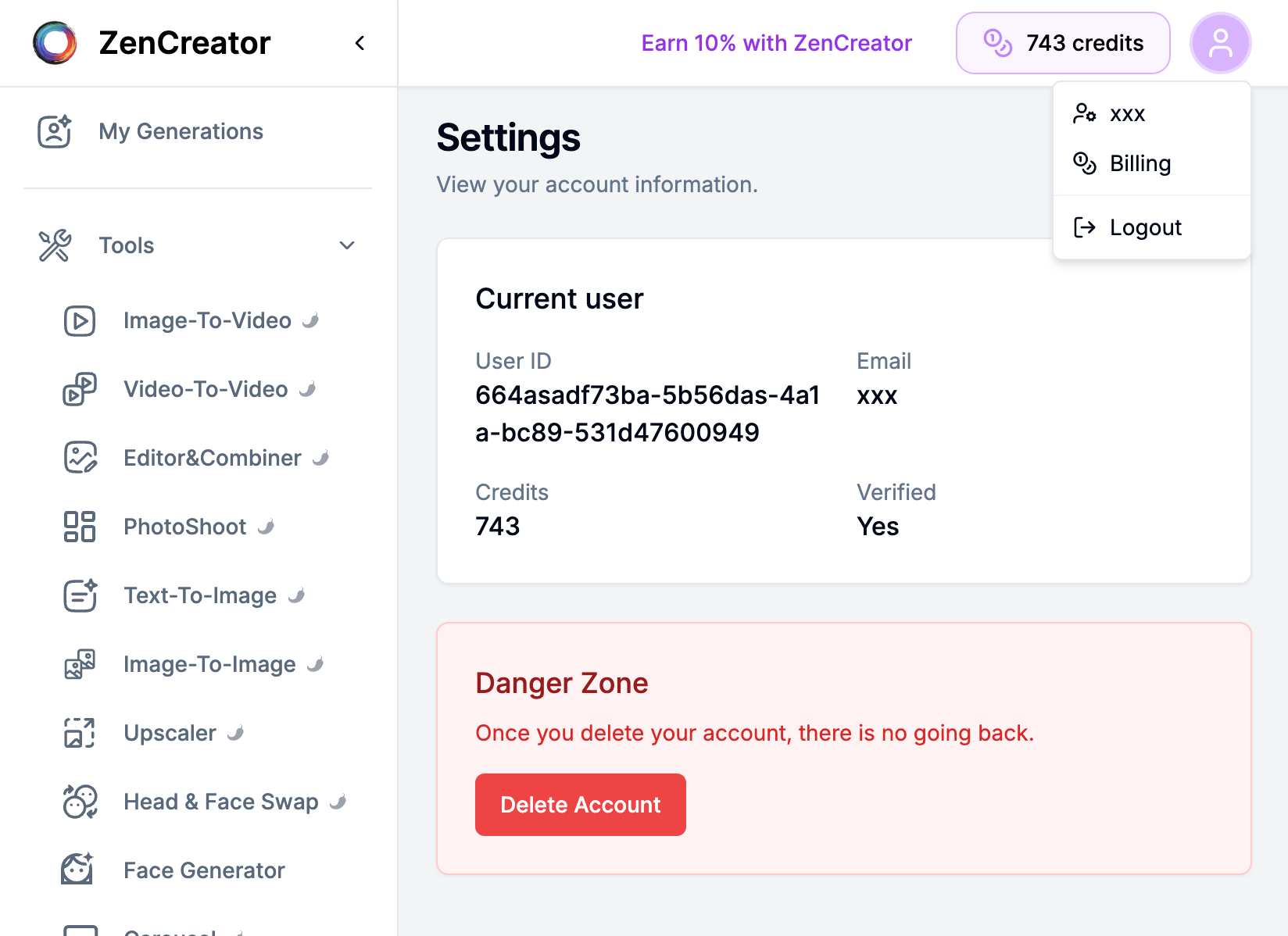
Scroll down to the Danger Zone section.
Click Delete Account.
Confirm the deletion when prompted.
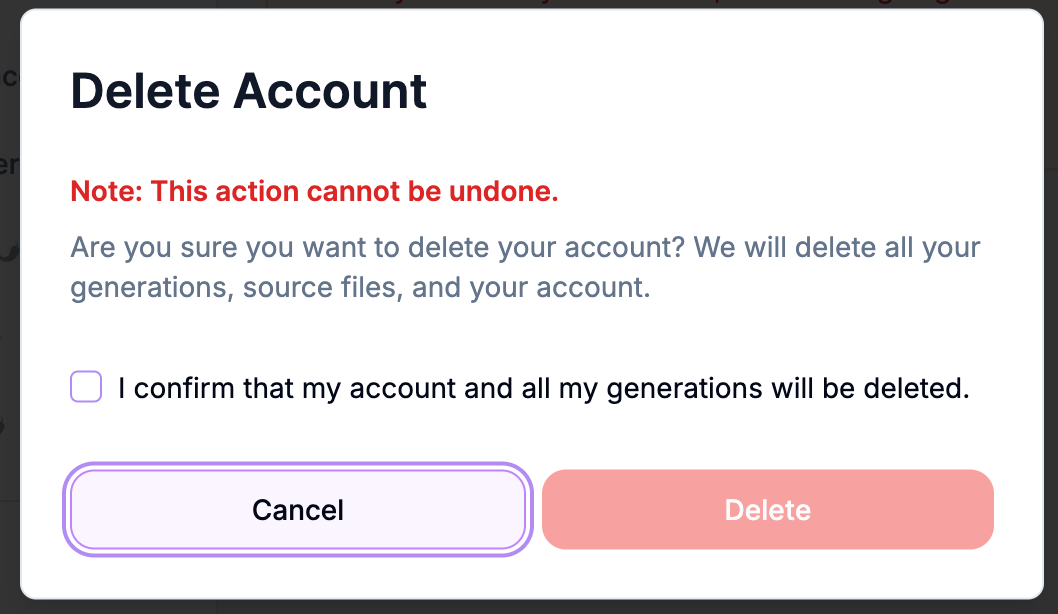
That’s it — your account will be removed.
What happens after deletion?
Your account can’t be recovered.
We do not retain any of your personal data or account information after deletion. All data is permanently and irreversibly erased from our systems.
You won’t be able to log in with that account again.
Any remaining credits and in-app data tied to that account will no longer be accessible.
All your generated content will be permanently deleted automatically.
Troubleshooting
I can't find the Delete Account button — make sure you're on Settings and scroll to Danger Zone.
The button doesn't work / nothing happens — try refreshing the page, disabling browser extensions (ad blockers), or using an incognito window. If it still fails, contact support with your User ID (visible on the Settings page).
I deleted the wrong account — account deletion is irreversible. Contact support immediately, but recovery may not be possible.
Want to stop getting our newsletter? Unsubscribe — the link is at the bottom of every email.
Need help?
If you’re unsure about deleting your account or have a technical issue, message support and include:
your email
your User ID (from Settings)
a short description of the problem
Was this helpful?
Still need help? Ask the team