Film Maker
Order a full-length film with two characters in four quick steps: cast, story, format, confirm.
Written By Leonid
Last updated About 1 hour ago
What Film Maker does
Film Maker turns a few choices into a full film with two characters. You pick the cast, the scenes and the mood, and the studio writes the script, shoots and edits it into one finished film of 1 to 10 minutes (720p). Adults only (18+).
Find it in the left menu under More tools, or at zencreator.pro/film-maker. Settings are on the left, your films on the right. The red numbers on each screenshot match the points above it.
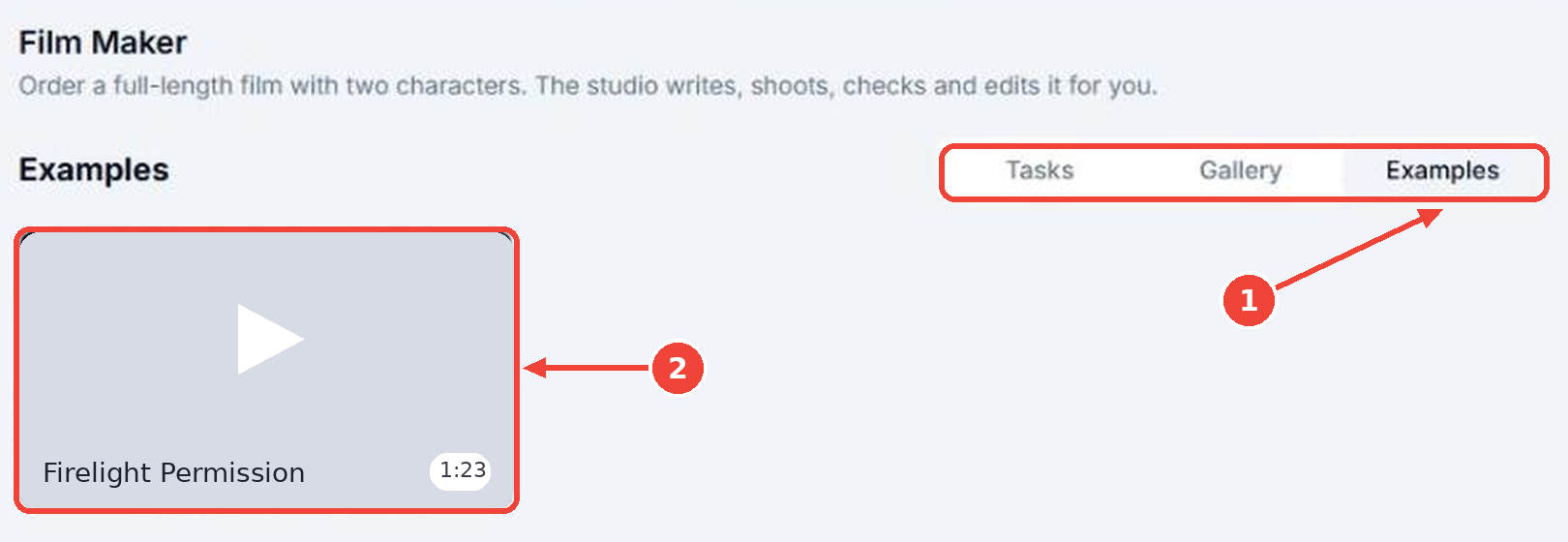
Need inspiration? Not sure what to make? Open the Examples tab (1) to see what Film Maker can create. Hover over an example (2) to preview it.
Make a film in 4 steps
Step 1. Cast
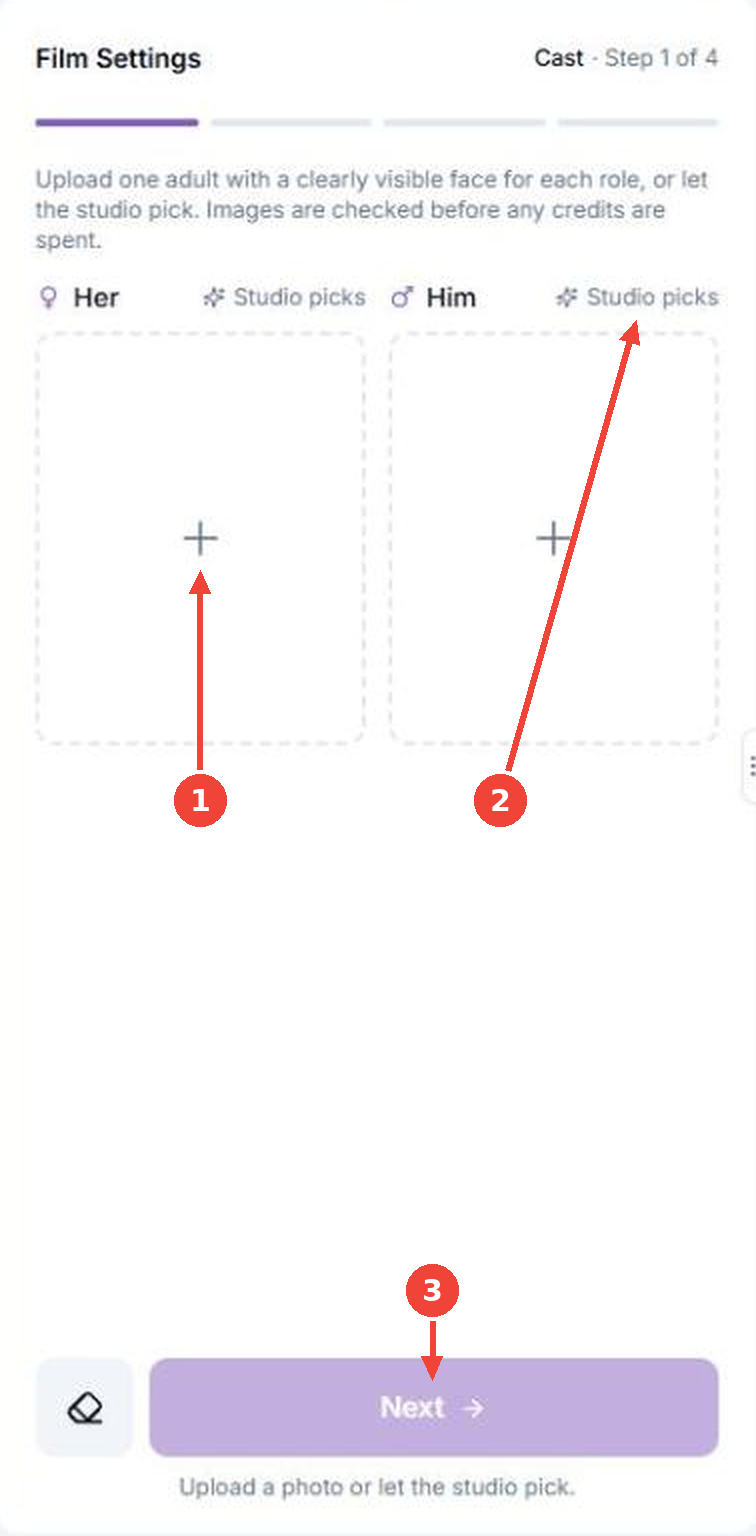
A film has two roles, Her and Him. Fill in both to move on.
Tap + to upload your own photo: one adult, face clearly visible. Photos are checked before any credits are spent.
Or tap Studio picks and the studio casts someone who fits your story.
Next turns purple when both roles are filled.
Once you choose Studio picks for a role, you can still switch back to your own photo:
My image is a clickable link: tap it and upload a photo.
This card means the studio will cast the role.
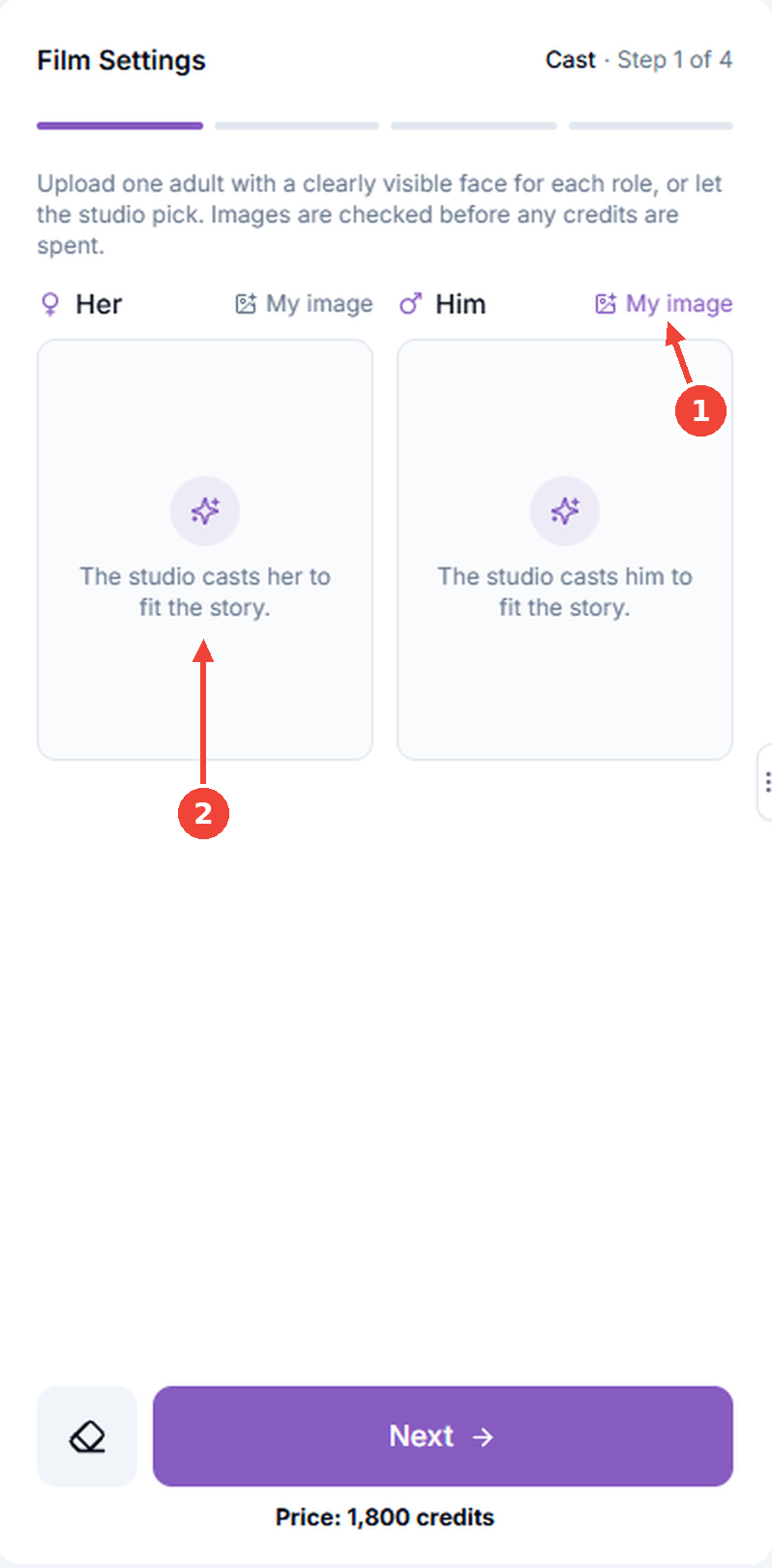
You can mix: your photo for one role, Studio picks for the other.
Step 2. Story
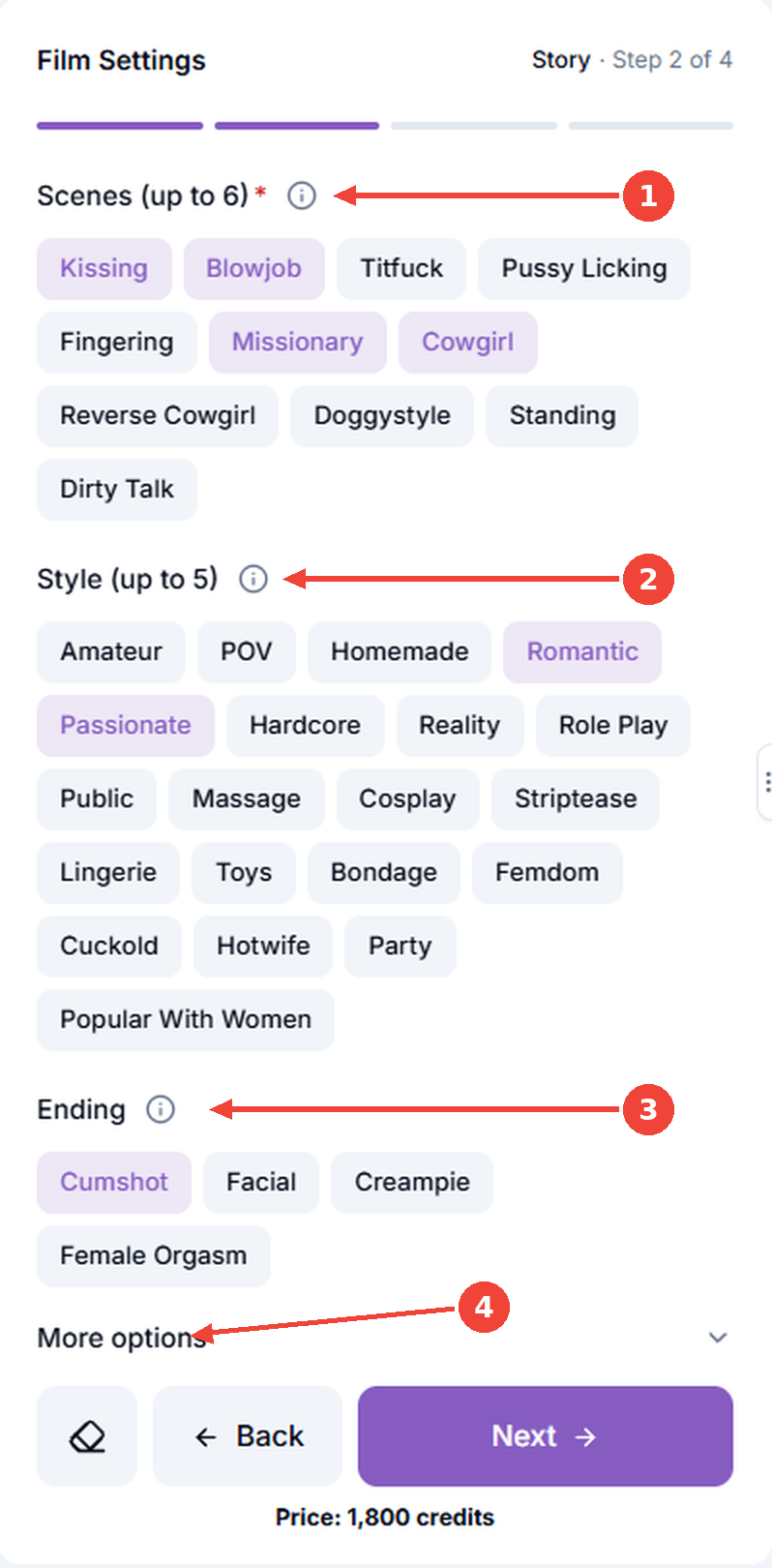
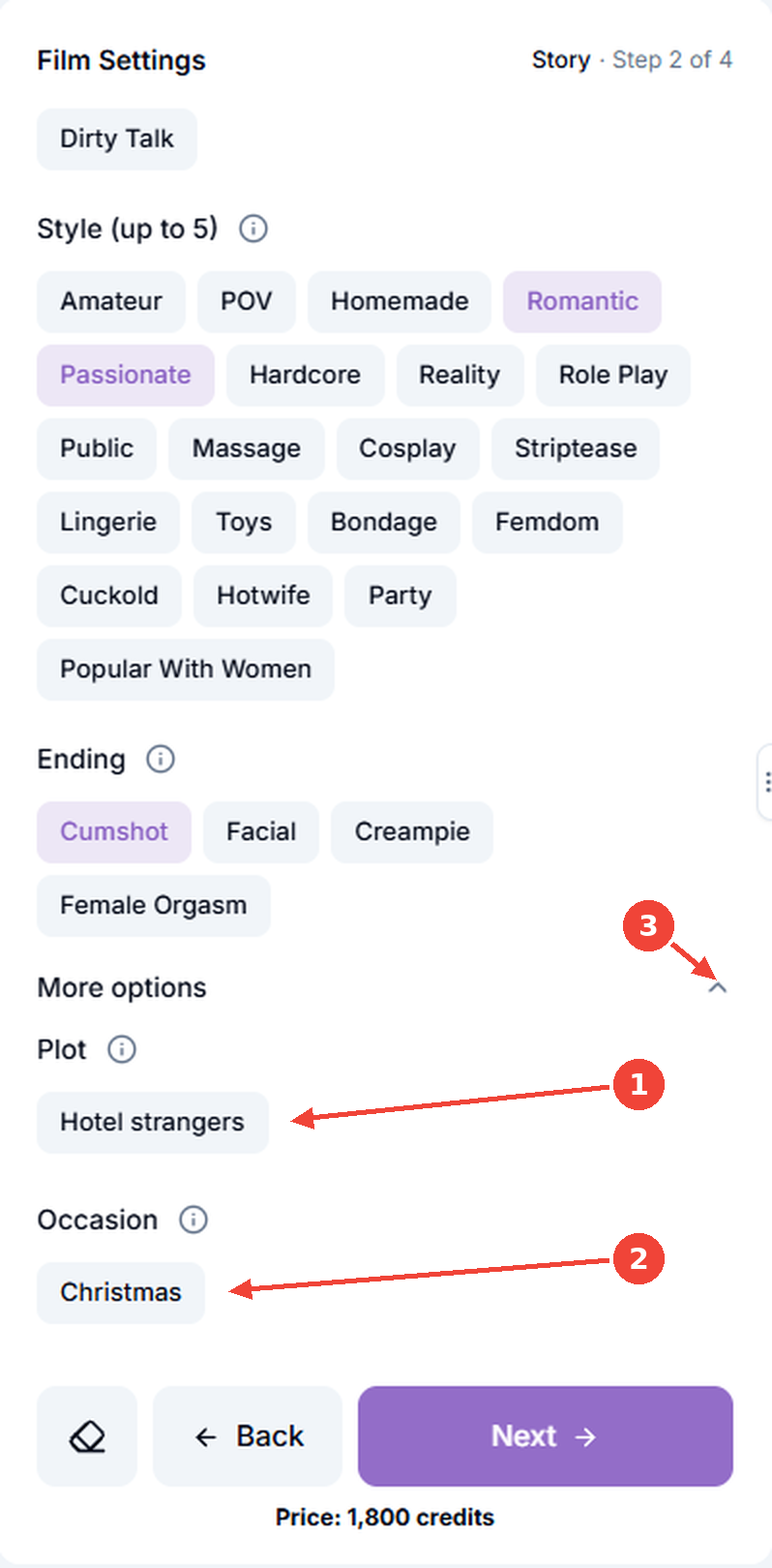
Tap an option to select it (purple), tap again to unselect.
Scenes (required, up to 6): Kissing, Blowjob, Titfuck, Pussy Licking, Fingering, Missionary, Cowgirl, Reverse Cowgirl, Doggystyle, Standing, Dirty Talk.
Style (up to 5): the mood of the film, for example Romantic, Amateur, POV, Hardcore or Role Play. The full list is on the screenshot.
Ending: Cumshot, Facial, Creampie or Female Orgasm.
More options: opens two extra settings.
Plot: the story. Choose Hotel strangers, One-night stand, First date, Real couple at home, Neighbor's wife, Friend's hot mom, Ex comes back or Husband watches. No preference? Keep Studio's choice.
Occasion (optional): Halloween, Christmas, New Year's Eve, Valentine's Day, Birthday, Anniversary or Summer vacation.
The arrow collapses the block.
Step 3. Format
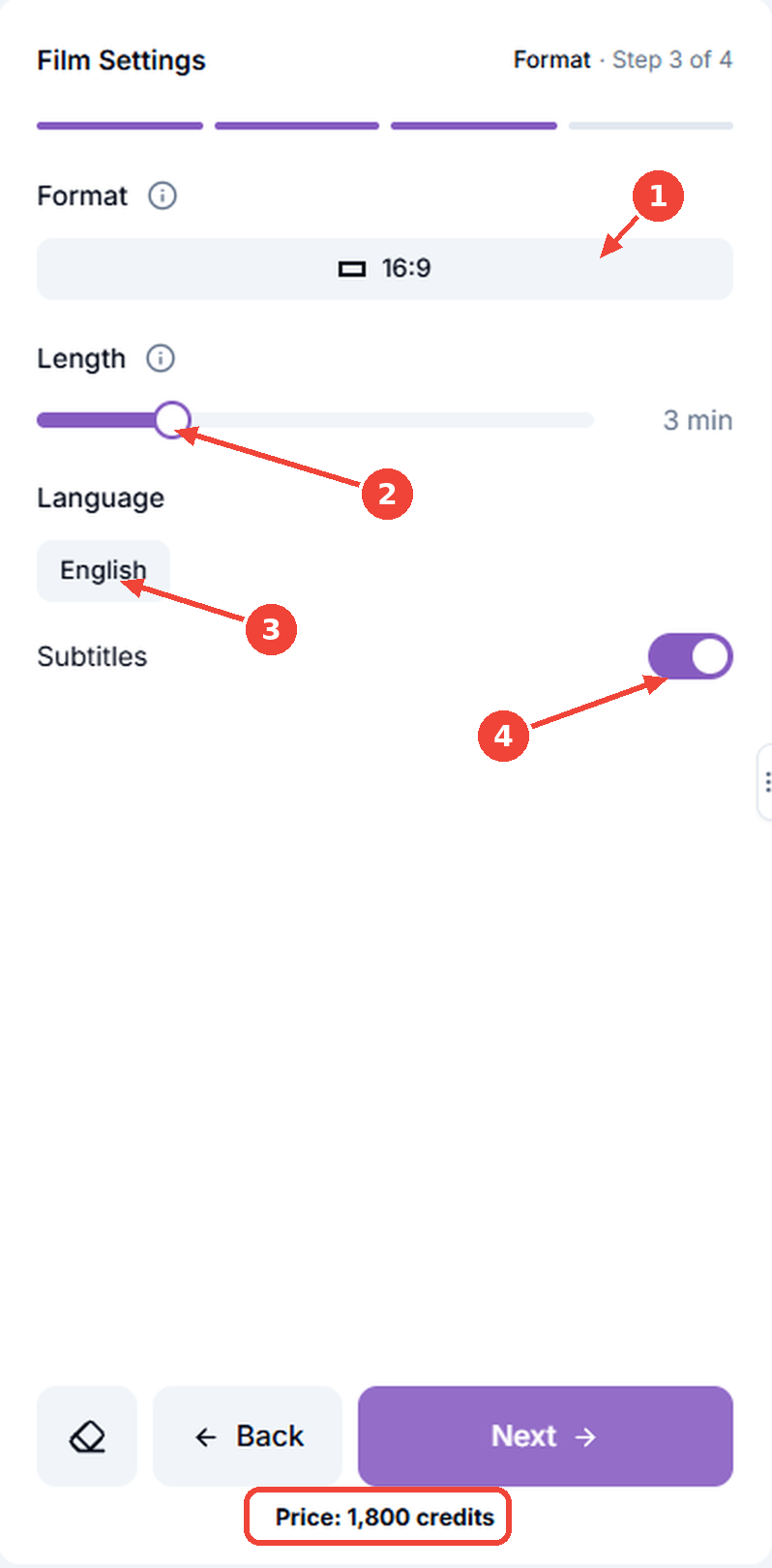
Format: 16:9 is landscape (computers, TVs), 9:16 is vertical (phones).
Length: drag the slider from 1 to 10 minutes.
Language: English, Spanish, German, French, Portuguese or Japanese.
Subtitles: purple is on, grey is off.
The price is in the red frame: 600 credits per minute. It updates as you move the slider.
Step 4. Confirmation
A last check before you order. Nothing is charged yet.
Edit: go back to change Cast, Story or Format.
Before you order: the key rules. No refund after production starts, you have the rights to your images, all characters are adults.
Checkbox: tick it to agree, otherwise the button stays grey.
Make the film: starts production and spends the credits. Usually ready in about 50 minutes, sometimes up to 10 hours. If it takes longer than 10 hours, write to us in the in-app chat or at [email protected].
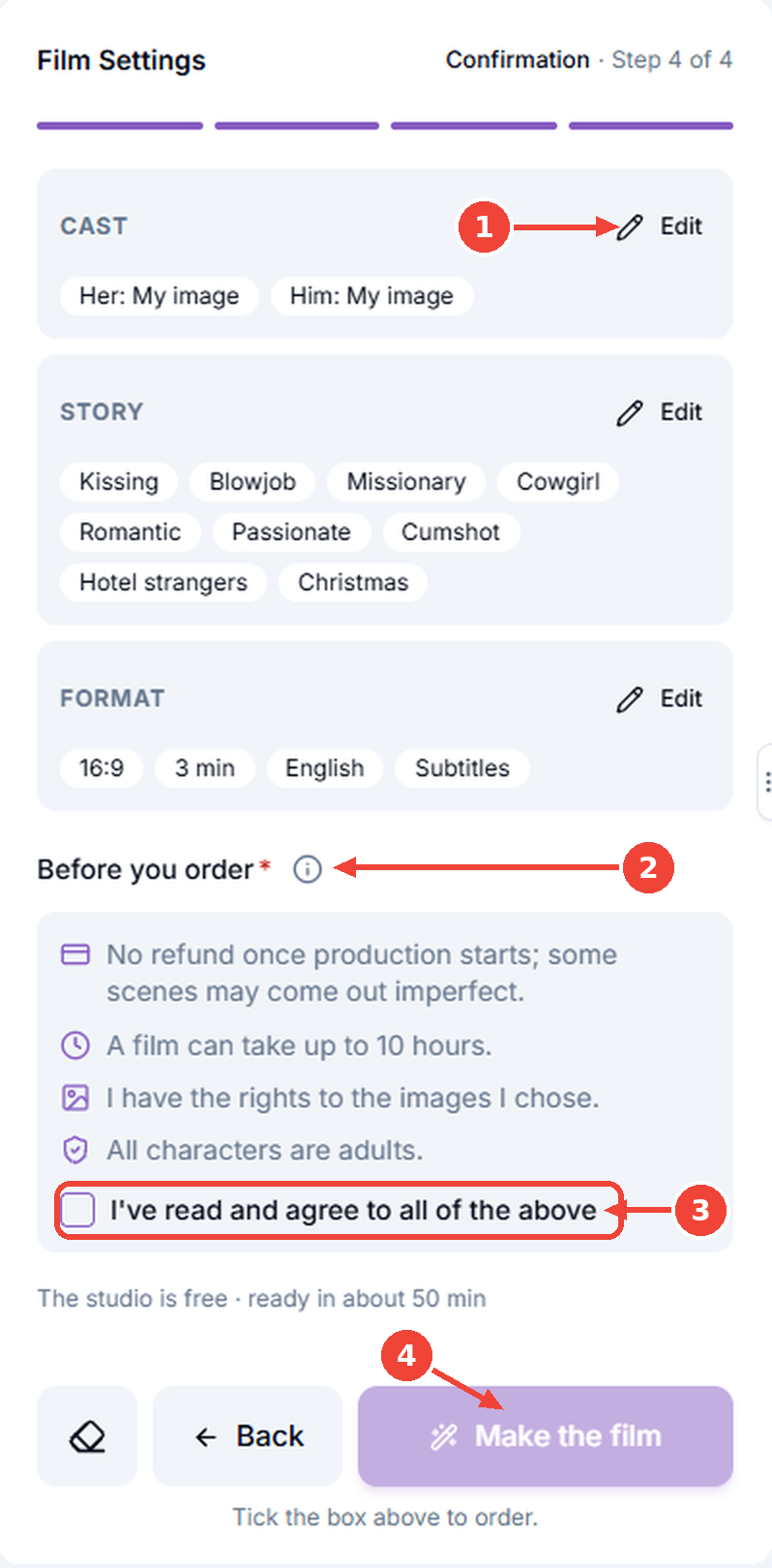
No refund once production starts, so check the summary first.
Your films
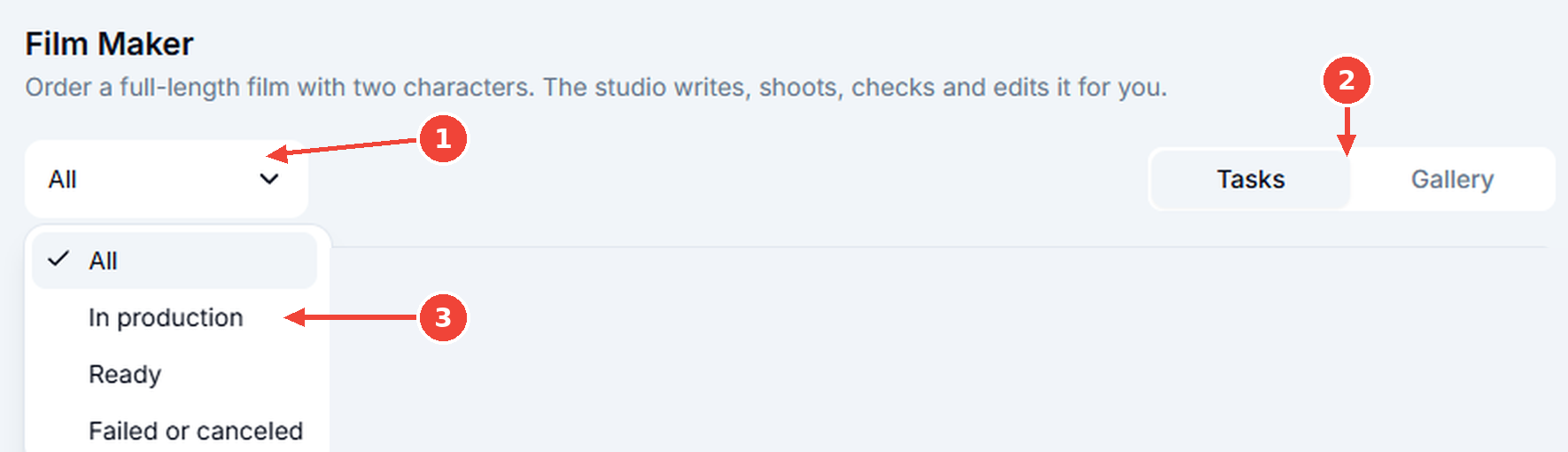
The filter shows a list of statuses.
Your orders are in the Tasks tab.
Pick All, In production, Ready or Failed or canceled.
A ready film has:
The film version and how long it took to make.
Download: saves the film.
Cut scenes out: tap a scene to cut it, tap it again to bring it back.

Troubleshooting
It's AI, so an occasional glitch is normal.
A button is grey. On Cast, fill both roles. On Story, pick at least one scene. On Confirmation, tick the checkbox.
Photo not accepted. Nothing is charged. Use one adult with a clearly visible face, or choose Studio picks.
Film is taking long. Check the Tasks tab. It usually takes about 50 minutes.
Still stuck? Write to us in the in-app chat or at [email protected].
What's next
Video Builder — plan and generate a multi-shot video from 15 seconds to 3 minutes from a single prompt
Video Upscaler — upscale your finished film beyond 720p for sharper detail
Was this helpful?
Still need help? Ask the team