AI Generator by Prompt (Text-To-Image)
Write a prompt, pick a provider, optionally add LoRAs, and generate a batch you can immediately upscale, face-swap, or publish.
Written By Leonid
Last updated About 1 month ago
What the tool does
Generator by Prompt creates images directly from text. You control subject, setting, lighting, composition, and style. Choose a model provider and (with SDXL) attach LoRAs to steer body type or stylistic details. Results are commercially licensed and can be sent downstream to any ZenCreator tool.
Interface tour

Model — select the image generation model based on your use case:
General — 4K / Safety Filters: Minimal → highest quality, best for final images
SDXL — 1K / Safety Filters: Minimal → fast generation with LoRA support
Nano Banana 2 — 2K / Safety Filters: ON → clean, brand-safe realism
Qwen Image 2.0 — 2K / Safety Filters: Minimal → general-purpose model for everyday generation
Qwen Image 2.0 Pro — 2K / Safety Filters: Minimal → more refined results, better suited for final images
WAN 2.7 — 2K / Safety Filters: Minimal → consistent results across a wide range of prompts
WAN 2.7 Pro — 2K / Safety Filters: Minimal → higher detail, suitable for final outputs
Flux Klein — 1–2MP / Safety Filters: On → fast and efficient image generation for rapid iteration
Flux Klein NSFW — 1–2MP / Safety Filters: Minimal → fast generation with fewer content restrictions
Seedream 5 — 2K / Safety Filters: Minimal → intelligent generation for more complex and controlled prompts.
Prompt — describe what you want to see in the image. Be specific about the subject, clothing, pose, lighting, camera angle, mood, and environment.
See the full guide: How to create a good prompt.Negative Prompt (optional) — list what the model should avoid (bad anatomy, extra fingers, blur, watermark, text, artifacts).
Availability depends on the selected model.Aspect Ratio — choose the desired aspect ratio for the generated images (e.g. 1:1, 3:4, 9:16).
This defines the width-to-height ratio of all outputs.Resize (W / H) — manually set the output resolution in pixels.
Maximum resolution depends on the selected model (up to 4K).Number of Images — select how many variations to generate in this run (up to 10).
LoRA (SDXL only, optional) — apply curated LoRAs to control style or physique.
LoRAs are injected automatically; use sparingly to avoid overpowering the base prompt.Start Generation — launches the job.
The total credit cost is shown below the button before generation starts.
Models overview
General — 4K / Safety Filters: Minimal
Overview
Universal high-resolution model optimized for maximum output quality.
Key points
Generates images in native 4K.
Works with minimal Safety Filters (supports both SFW and NSFW content).
Balanced realism, anatomy, and lighting without extra tuning.
Best choice when you want final, publication-ready images.
SDXL — 1K / Safety Filters: Minimal
Overview
Flexible base model designed for controlled and repeatable generation.
Key points
Supports LoRAs for body shape, proportions, and physique control.
Works with minimal Safety Filters (supports both SFW and NSFW content).
Ideal for NSFW content and figures with pronounced, curvy body shapes.
Slightly lower resolution, but high controllability.
Nano Banana 2 — 2K / Safety Filters: ON
Overview
High-quality SFW model optimized for clean, commercial visuals.
Key points
Generates images up to 2K resolution.
Works with Safety Filters enabled (supports SFW content only).
Clean anatomy, stable faces, polished look.
Well-suited for fashion, lifestyle, and brand content.
Qwen Image 2.0 — 2K / Safety Filters: Minimal
Overview
General-purpose model from the Qwen family, focused on structured and predictable generation.
Key points
Produces stable and consistent results across prompts.
Works with minimal Safety Filters (supports both SFW and NSFW content).
Handles a wide range of styles without strong prompt tuning.
Suitable for everyday image generation.
Qwen Image 2.0 Pro — 2K / Safety Filters: Minimal
Overview
Enhanced version of Qwen Image 2.0 with more refined output quality.
Key points
Produces cleaner and more detailed results compared to the base model.
Maintains consistent outputs across different prompts.
Works with minimal Safety Filters (supports both SFW and NSFW content).
Better suited for final images.
WAN 2.7 — 2K / Safety Filters: Minimal
Overview
Next-generation WAN model designed for more flexible and expressive generation.
Key points
Adapts well to a wide range of prompts and scenarios.
Works with minimal Safety Filters (supports both SFW and NSFW content).
Provides consistent results with more variation in outputs.
Suitable for diverse and less constrained generations.
WAN 2.7 Pro — 2K / Safety Filters: Minimal
Overview
Advanced WAN model with higher detail and more expressive outputs.
Key points
Produces more detailed results compared to WAN 2.7.
Better handles complex scenes and compositions.
Works with minimal Safety Filters (supports both SFW and NSFW content).
Recommended for high-quality final images.
Flux Klein — 1–2MP / Safety Filters: ON
Overview
Fast image generation model designed for rapid iteration and lightweight workflows.
Key points
Generates images quickly, optimized for speed and responsiveness.
Suitable for drafts, prompt testing, and high-volume generation.
Flux Klein NSFW — 1–2MP / Safety Filters: Minimal
Overview
Fast generation model with fewer content restrictions and support for flexible creative workflows.
Key points
Same speed-optimized architecture as Flux Klein.
Allows more flexible content generation due to minimal filtering.
Supports iterative workflows and rapid experimentation.
Best suited for fast generation where flexibility is required.
Seedream 5 — 2K / Safety Filters: Minimal
Overview
Next-generation AI image model focused on intelligent generation, controllable editing, and improved reasoning.
Key points
Combines image generation with logical reasoning and instruction following.
Designed for more complex compositions and structured prompts.
Best suited for high-quality outputs and more advanced, controlled generation tasks.
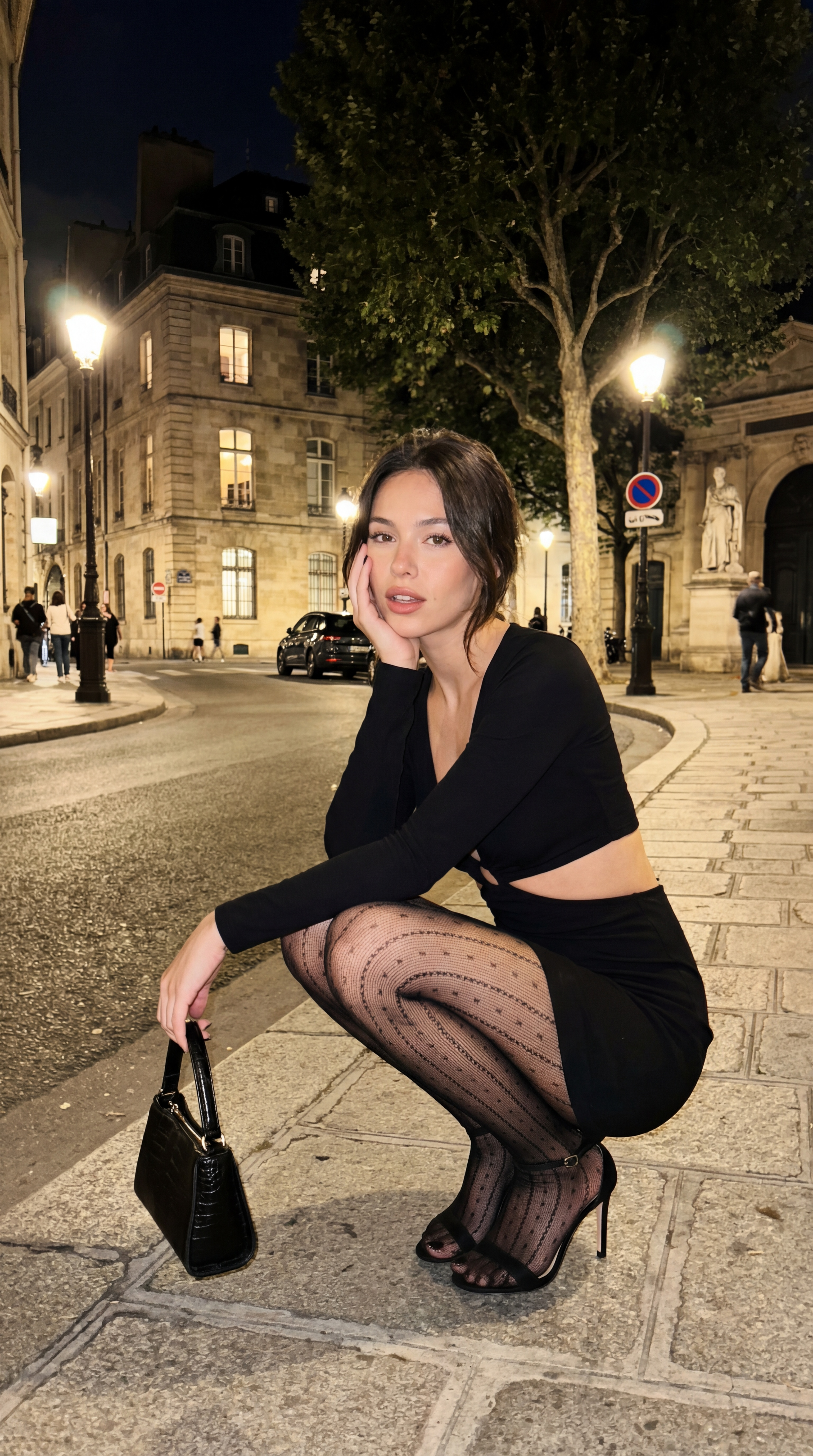
Result examples:



LoRAs (SDXL)
Attach up to three LoRAs at once and set a Strength per LoRA.
0.1–0.4 = subtle influence
0.5–1.2 = balanced control (recommended)
>1.5 = aggressive; more likely to introduce artefacts
Important: Higher strength increases the chance of artefacts. Combine fewer LoRAs at moderate strengths for the cleanest results.
Available LoRAs:
Large Breast & Hourglass — fuller bust with classic hourglass balance.
Adjustable Large Breast — scalable bust emphasis while keeping overall proportions.
Adjustable Large Breast 2 — alternative profile with a different aesthetic bias; useful if v1 conflicts with your scene.
Cameltoe — swimwear/activewear fabric tension at groin area.
Soft Fuller Figure — soft curves and slightly higher body fat distribution.
Thick Thighs & Wide Hips — stronger lower-body emphasis with wider hip line.
Elegant Mature — mature facial features and styling cues.
Body Builder — visibly muscular physique; pronounced definition.
Muscular Body — toned musculature with low-to-moderate body fat.
Classic Hourglass Shape — defined waist with balanced bust/hip ratio.
Slim Figure — slender proportions with minimal body fat.
Soft Tummy & Curves — visible belly softness and gentle curves.
Plus Size Body — plus-size proportions across torso and limbs.
See our LoRA usage guide for examples and best practices.
Quick start
Choose a Model based on your content type, quality needs, and Safety Filters requirements.
Write a clear Prompt describing the subject, clothing, lighting, mood, and environment (add a Negative Prompt if needed).
If using SDXL, optionally select LoRAs to control body shape or style (use sparingly).
Set Aspect Ratio, Resize (W / H), and Number of Images.
Click Start Generation, then review the results and Download them or Send to another tool (Upscaler, Face Swap, Generator by Ref, Video, Carousel).
Actioning results

Use the checkboxes on thumbnails to Select/Deselect.
Download Selected / Download All to export a ZIP.
Send to another tool to continue the pipeline (Upscaler, Face Swapping, Generator by Ref, Video Generator, Carousel).
Retry Failed appears automatically if any frames mis-rendered.
Prompting tips (copy-paste friendly)
Portrait:
“35mm portrait of [subject], half-body, eye contact, soft window light, shallow depth of field, natural skin, neutral color grade, realistic texture, high detail”
Negative: “lowres, over-smooth skin, bad anatomy, extra fingers, watermark”Lifestyle:
“[subject] walking in [location], candid pose, golden hour backlight, film look, natural grain, realistic proportions, composition rule of thirds”
Negative: “cartoonish, plastic skin, lens distortion, duplicate face”Fashion:
“[subject] studio fashion shot, 3/4 pose, key light + rim, clean backdrop, editorial style, crisp shadows, high-end retouch look”
Negative: “blown highlights, muddy blacks, JPEG artefacts”
See a Full Guide "How to create a good prompt".
Pro tips
With multiple LoRAs (SDXL), keep each between 0.5–0.9; push above 1.2 only if you need a very strong effect.
Keep prompts visual and concise — describe what you see, not how the model should work.
If results look soft at higher resolution, send selected images to the Upscaler as a final step.
If facial identity isn’t stable enough, route selected images to Face Swap after generation to lock the face.
Start with 2–4 images, approve the look, then increase the number of images for production runs.
Avoid mixing extreme styles and heavy LoRAs in one run — consistency drops quickly.
FAQ
How many LoRAs can I use at once?
Up to three (SDXL only).
Which model is more realistic?
For SFW content, Nano Banana 2 is usually the most photorealistic option. For the highest overall output quality and final images, use General. For NSFW content, use General or SDXL.Why do I see artefacts?
Excessive LoRA strength or too many competing LoRAs. Lower strengths, remove one, or simplify the prompt.
Do prompts have to be written in English?
Yes — for example, Nano Banana 2 understands multilingual prompts well. However, for the other models, English is recommended for the most consistent results.Can I generate very high resolution images directly?
Yes, depending on the model.
For the highest resolution output, use General — 4K.
For other models, generate first and then send selected images to the Upscaler.Should I always use a Negative Prompt?
Not always, but it’s recommended when generating people. A short negative prompt helps reduce anatomy issues, blur, and unwanted artifacts.
Troubleshooting
Anatomy or clothing distortions → lower LoRA strengths (e.g., from 1.2 to 0.7) and simplify the prompt.
Style not sticking → increase one LoRA slightly (e.g., 0.8 → 1.0) instead of stacking more LoRAs.
Over-smooth or low-detail → send to Upscaler.
Identity not matching your brief → finish with Face Swap using your source face.